


mWork365 makes work easier for dispatchers, technicians and owners of small and medium-sized companies. It enables clear planning, efficient communication and the digitalization of everyday tasks.
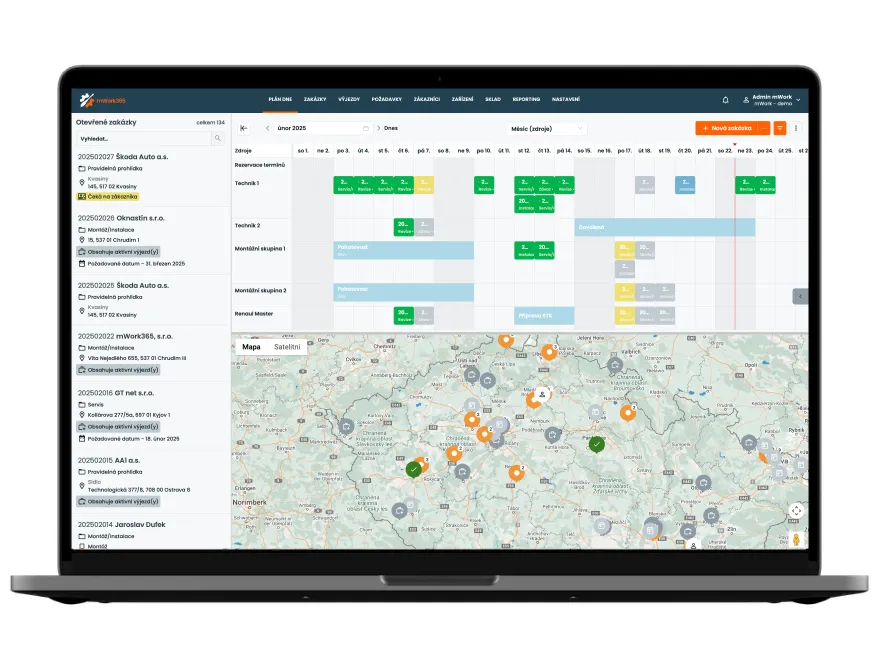
Clear planning of site visits and jobs on a single board, including displaying this data on a map. Within the plan, you can also record vacations, training or other events outside of site visits.
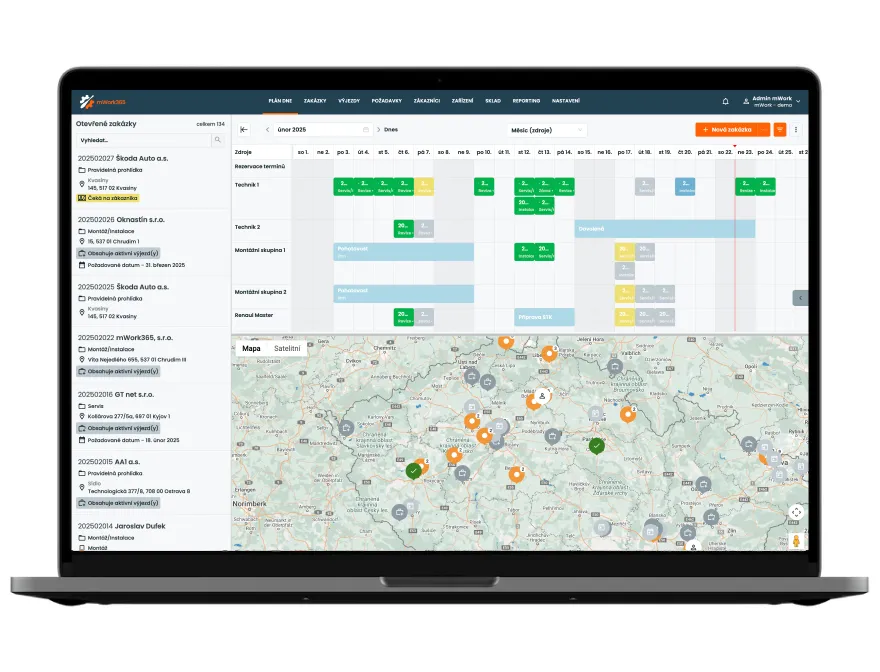
Complete records of customers, equipment and their history - including reminders for scheduled maintenance or upcoming inspections.
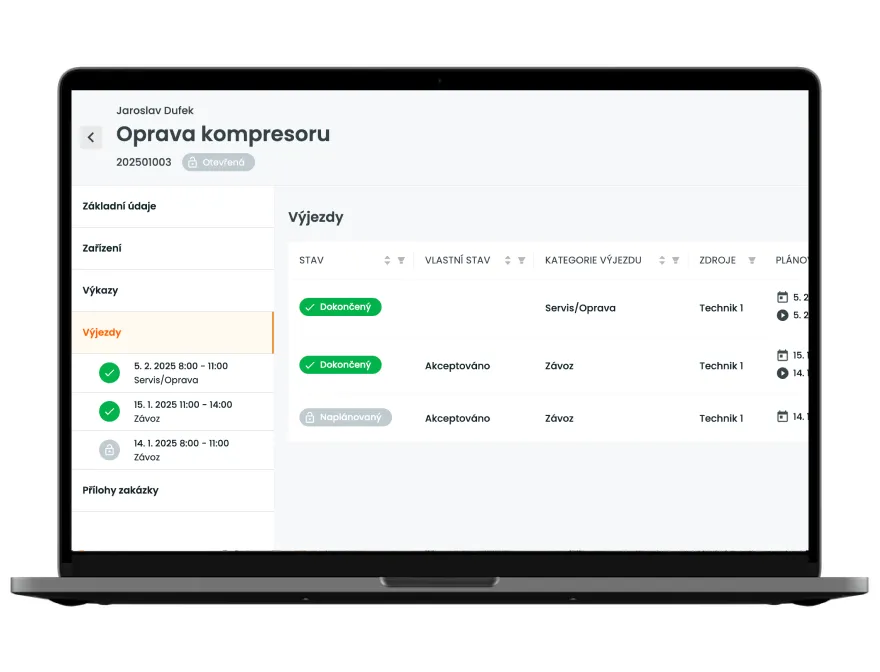
Quickly create jobs and plan site visits with the option to automatically send notifications to customers (dates, reminders the day before). The dispatcher always has an overview of the current status of jobs.
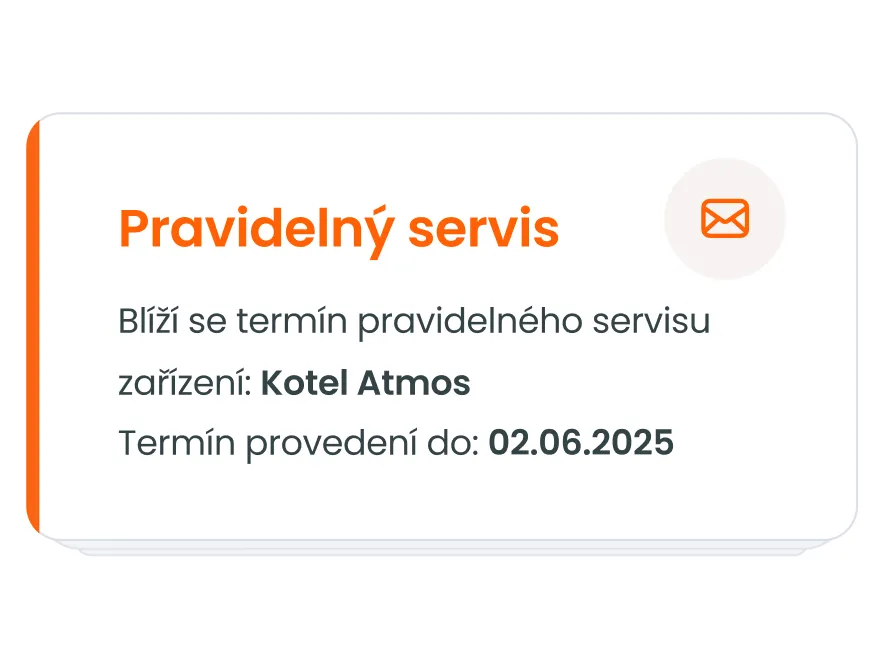
The system automatically tracks intervals for equipment inspections or maintenance, generates alerts and ensures that nothing is overlooked.
The technician has everything they need on their phone - jobs, customers, equipment and detailed history.
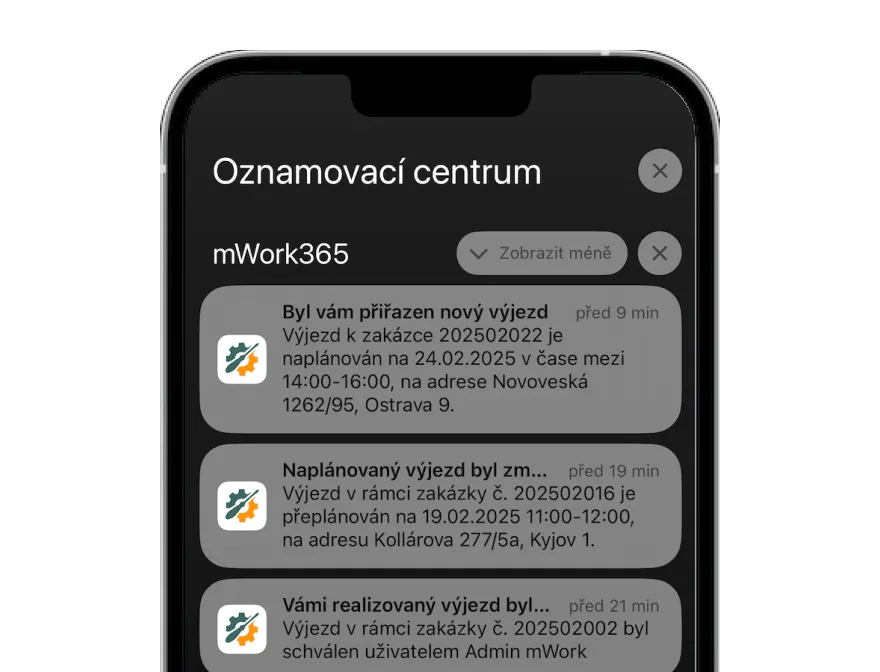
Filling out forms (installation sheets, inspection reports, protocols) right on site at the customer's location. They can be signed electronically and sent to the system immediately.
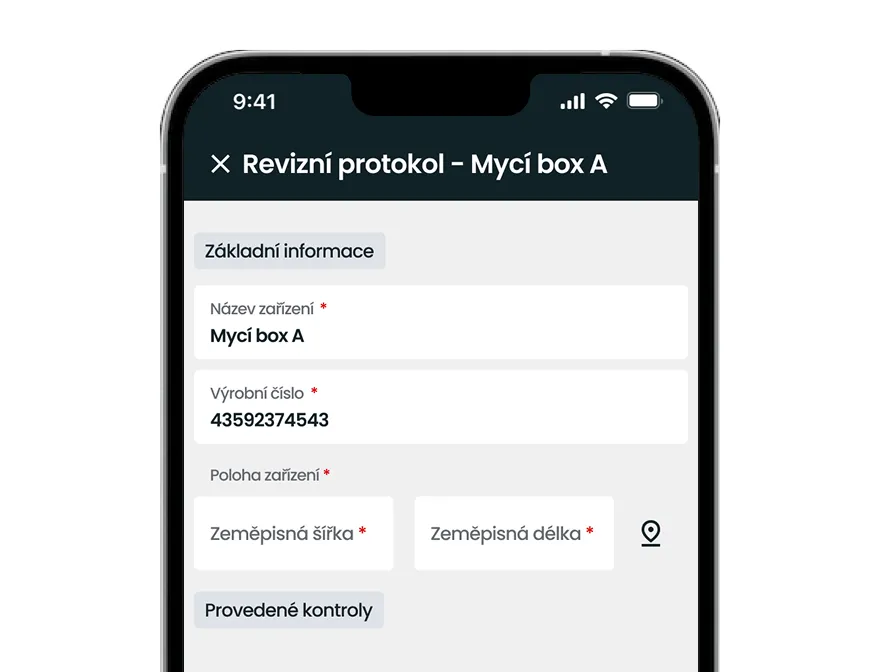
The option to add photos and other attachments directly to jobs for better documentation of the work.
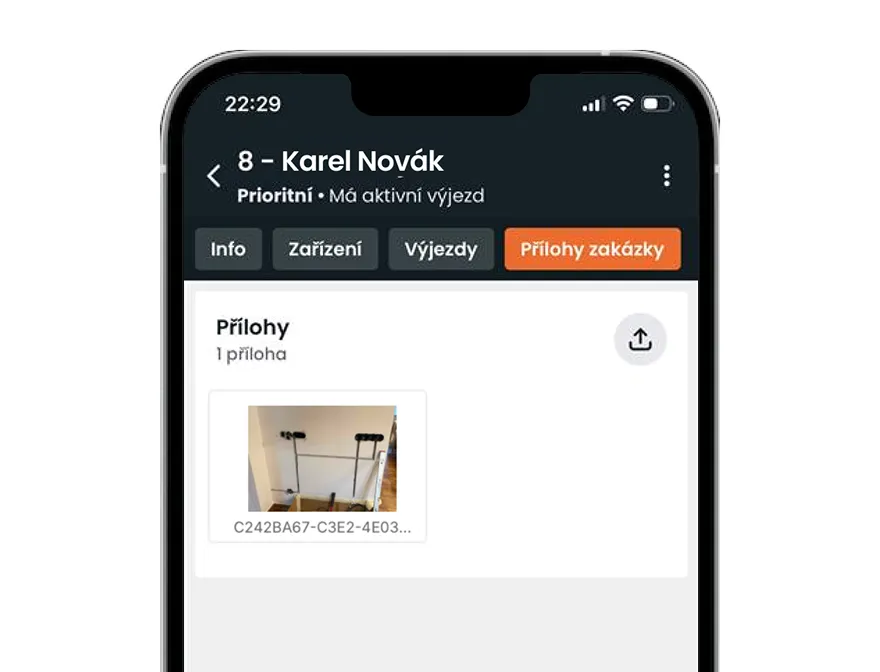
The technician has access at any time to the history of jobs, customers or equipment, which allows them to better solve problems on site.
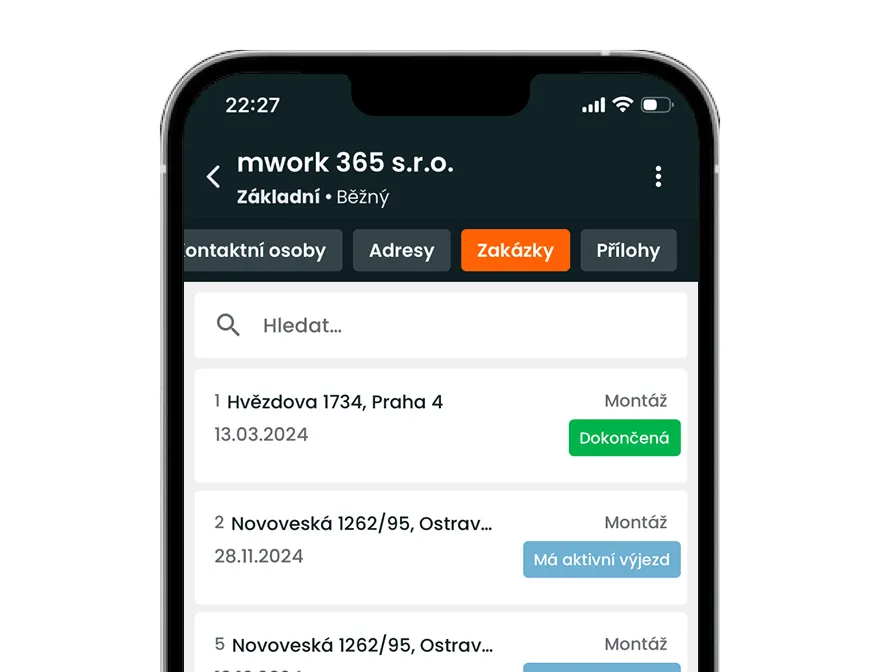
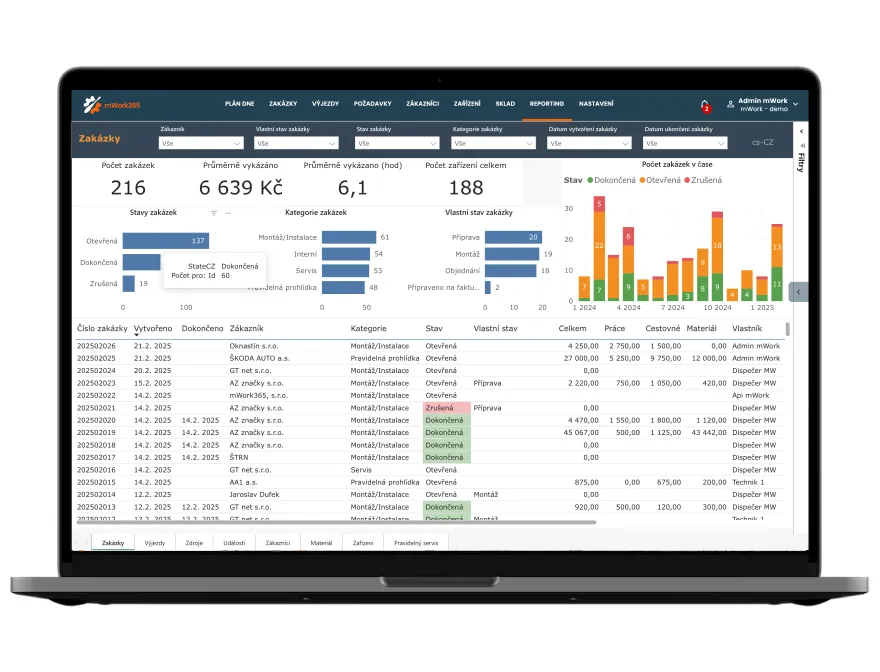
Ready-made reports on all activities, jobs and technician performance. Data is displayed in a clear dashboard that lets you monitor your company's efficiency in real time.
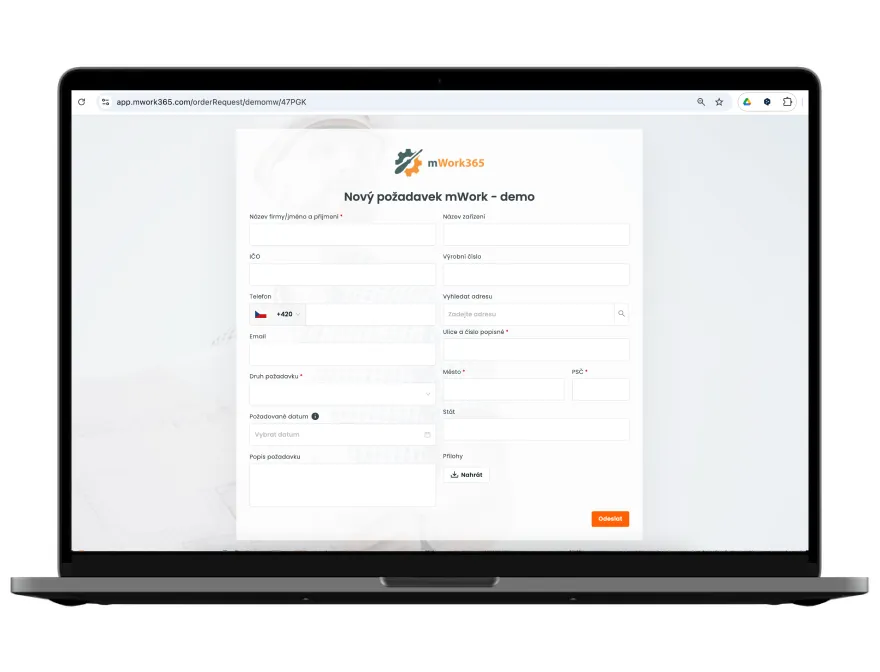
Let your customers submit requests directly through a web form - without emails and complications. Requests are automatically recorded in the system.
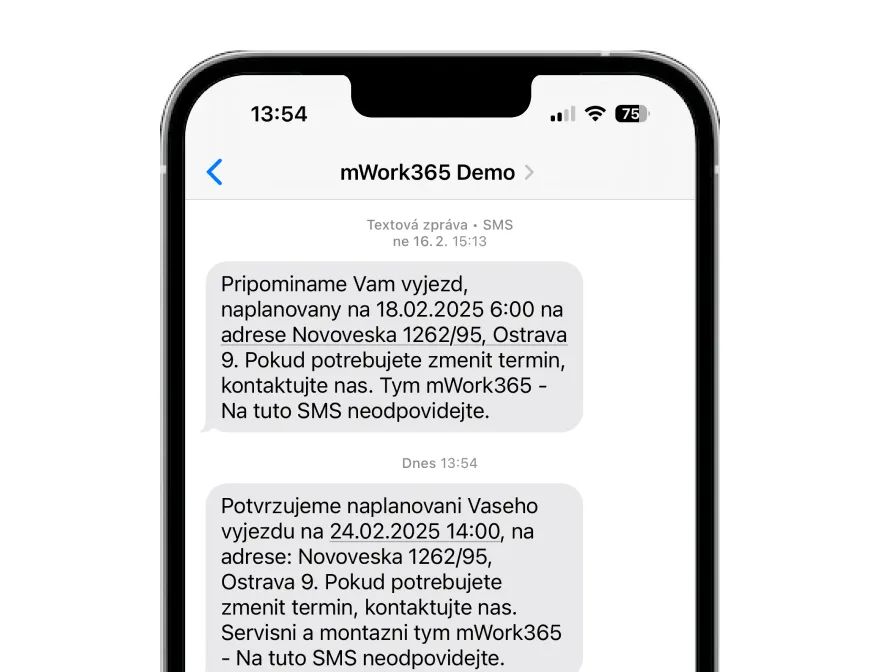
Automatic messages to customers about scheduling, dates and reminders ensure satisfaction and reduce the number of missed appointments.
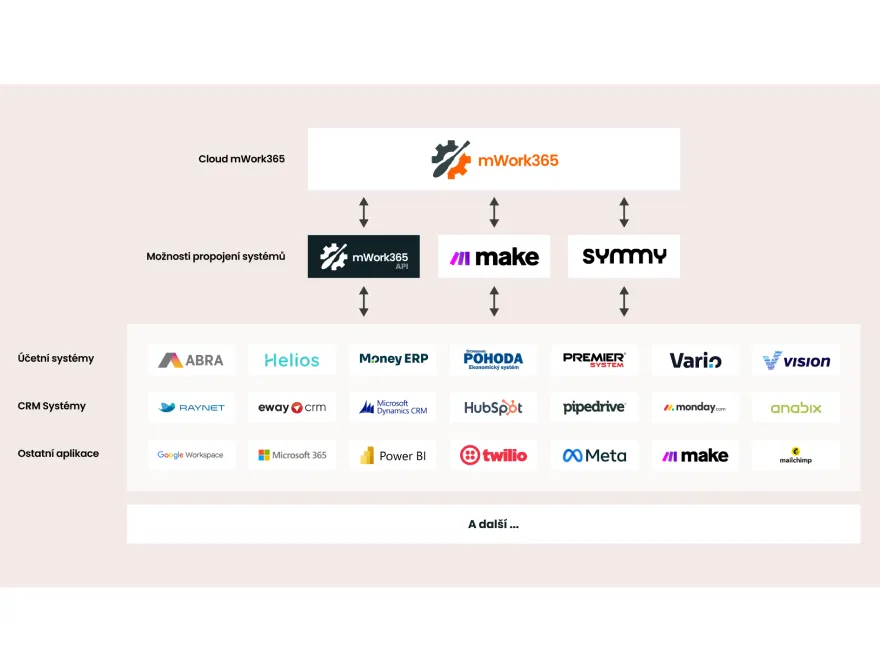
Connection with calendars (Google, Outlook), Google Maps and other tools that make managing everyday tasks easier.
All data is in one place and under control. The company is not dependent on a single person – even when a key employee is absent, everything continues without any problems.
Interested in the other features we have ready in the mWork365 app? Get in touch with us and we'll show them to you.
Jak probíhá typický den s mWork365?
Dispečer ráno naplánuje zakázky techniků v plánovací tabuli a každý technik dostane notifikaci do mobilu. Na místě technik vykáže čas, spotřebovaný materiál a kilometry, nafotí zařízení a nechá zákazníka podepsat protokol přímo na obrazovce. Protokol se automaticky odešle zákazníkovi e-mailem a dispečer vidí stav zakázky v reálném čase.
Funguje mWork365 offline v terénu bez připojení k internetu?
Ne zcela. Mobilní aplikace si pamatuje poslední načtená data a formuláře, takže technik může bez signálu zobrazit naposledy načtené informace. Aby však mohl s výjezdem a formuláři aktivně pracovat například v kotelně nebo hale bez signálu, musí výjezd zahájit ještě při připojení k internetu. Jakmile se znovu připojí, data se automaticky synchronizují.
Jak fungují digitální protokoly a formuláře?
Formuláře v našem systému fungují jako digitální protokoly. Nastavíme je a uživatelé je mohou vyplnit, podepsat a odeslat přímo z mobilní nebo webové aplikace zákazníkovi či pro interní potřebu. Při nastavení vycházíme z připravených oborových šablon, například revizních zpráv, předávacích protokolů nebo servisních listů, které obsahově upravíme podle společné dohody. Pokud potřebujete vlastní formuláře přesně ve vašem vzhledu, nejprve je zanalyzujeme a následně potvrdíme, zda je lze nastavit, nebo bude nutné je naprogramovat.
Jak funguje plánování pravidelného servisu?
Pravidelný servis je vázán na konkrétní zařízení u zákazníka. Nastavíte interval pravidelného servisu a systém vás včas upozorní, když se termín blíží. Upozornění funguje ve čtyřech režimech: pouze interní připomenutí pro dispečera, automatické vytvoření zakázky (pokud víte, že servis provedete), nebo notifikace zákazníka e-mailem a SMS nebo jejich kombinace. Každé zařízení má svou servisní historii, takže technik na místě vždy ví, co bylo naposledy provedeno.
Jak fungují notifikace pro techniky a zákazníky?
mWork365 posílá dva typy notifikací:
- Pro techniky — push notifikace do mobilní aplikace, SMS nebo e-mail. Technik je upozorněn při přidělení zakázky, změně termínu nebo jiné aktualizaci. Druhy notifikací, které dostává technik, lze nastavit individuálně pro každého uživatele.
- Pro zákazníky — e-mail nebo SMS. Typicky: potvrzení naplánovaného termínu, připomínka den předem, informace o příjezdu technika nebo zaslání protokolu po dokončení. Obsah a spouštěče notifikací lze přizpůsobit vašim procesům.
Jak funguje webový formulář pro zákaznické požadavky?
Webový formulář je stránka, kterou vložíte na svůj web nebo ji zákazníkům nasdílíte jako odkaz. Zákazník popíše problém či požadavek a odešle jej. Požadavek se ihned zobrazí ve vašem systému a můžete z něj vytvořit zakázku. Systém automaticky ověří, zda požadavek přišel od evidovaného zákazníka, nebo od nového kontaktu. Odpadá tak telefonování a ruční zadávání dispečerem. Formulář je součástí předplatného zdarma.
Co je zákaznický portál a jak funguje?
Zákaznický portál je přihlašovací rozhraní pro vaše zákazníky. Po přihlášení vidí stav svých zakázek, historii servisů a uložené protokoly ke svým zařízením — bez nutnosti volat nebo psát e-mail. Zákazníci mohou přes portál také zadávat nové požadavky. Portál je dostupný jako placený doplněk nebo součást Enterprise plánu.
Co vidím v reportech?
Základní reporting zahrnuje přehled zakázek a výkonů techniků. Pro detailnější práci můžete data exportovat do souboru Excel. Pro hlubší analytiku je dostupný placený doplněk Power BI s interaktivními dashboardy a připravenými reporty, například pro vytíženost techniků, průměrnou dobu zakázky nebo marži na zakázku.